AI intelligence layer for MSPs
Stop onboarding surprises. Start proactive MSP intelligence.
Wegweiser reads your client's logs like a senior engineer, surfacing hidden risks before they become tickets - the AI layer that deepens any RMM stack. When it finds something, act on the spot: a live terminal and remote control - Windows and Linux - are built in.
RMM-agnostic agent
Our lightweight agent deploys through ANY RMM platform - Windows workstations, servers, Linux, macOS and networked devices - for comprehensive insight across the estate.
Hierarchical health scoring
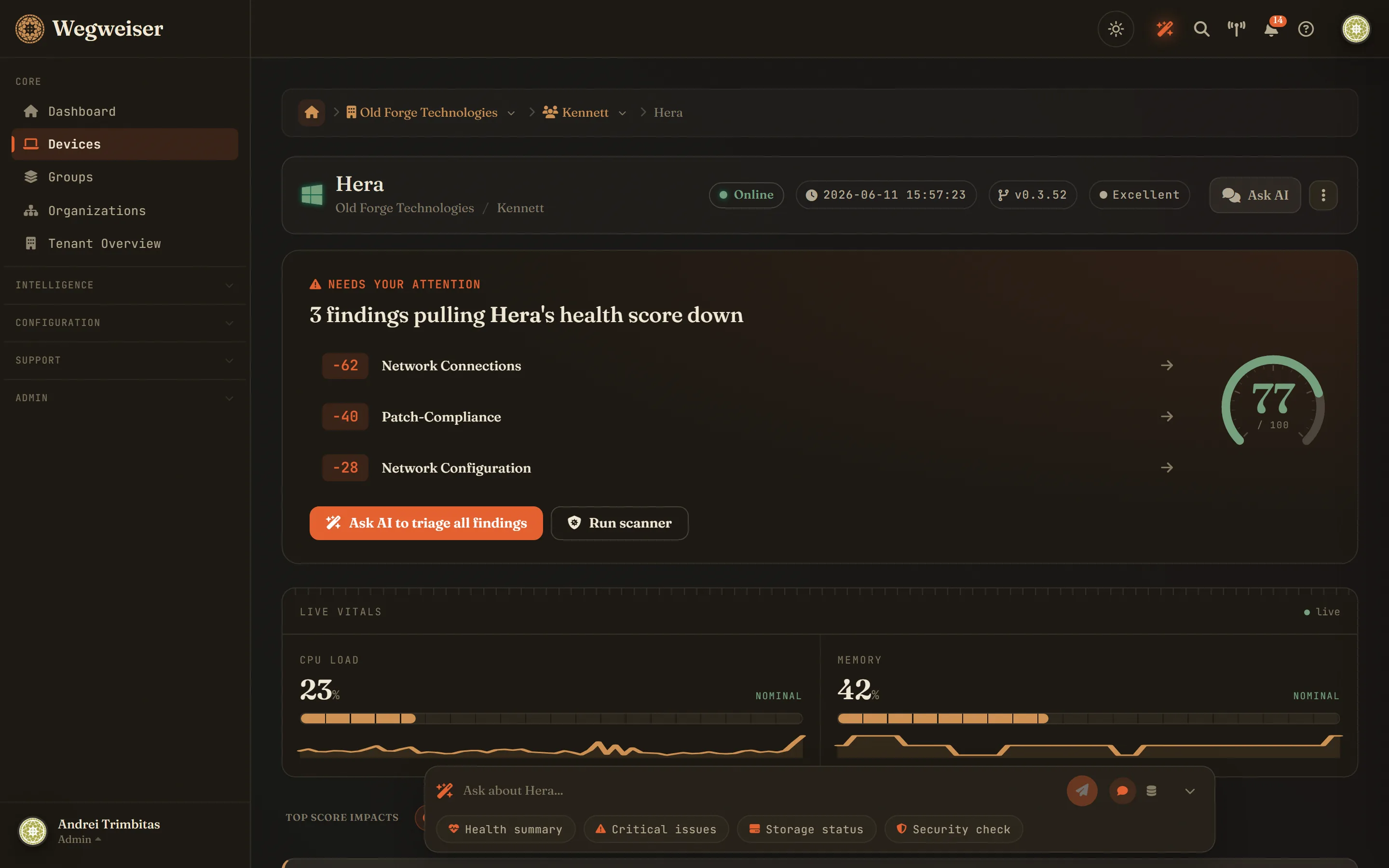
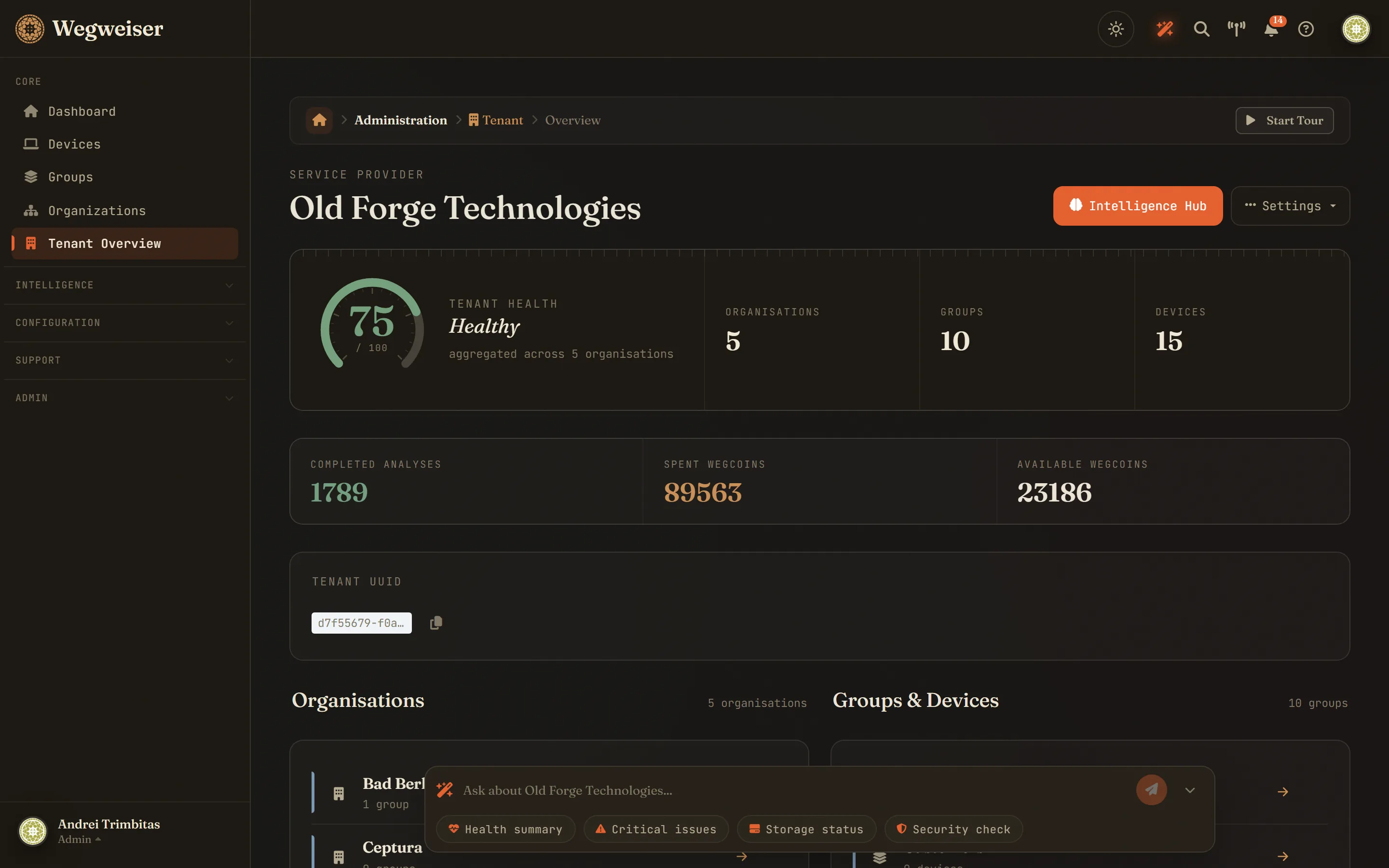
Every device gets an AI-calculated health score with prioritised recommendations. Scores cascade up through groups and organisations for complete visibility.
Beyond traditional RMM
Surface critical patterns over the last 30 days that automation misses. Deep log analysis and pattern recognition that supplement your team's expertise.
Why we built this
Solving critical MSP bottlenecks
Two bottlenecks sit in every MSP's lifecycle: Client Onboarding Hell - where larger customers hide critical issues beneath the surface - and the Knowledge Gap - where nobody can know everything about every hardware type or event log. We use AI to supplement your team's expertise.
"I built the AI layer I always wished existed - one that reads logs the way an experienced engineer would, not just counts them."
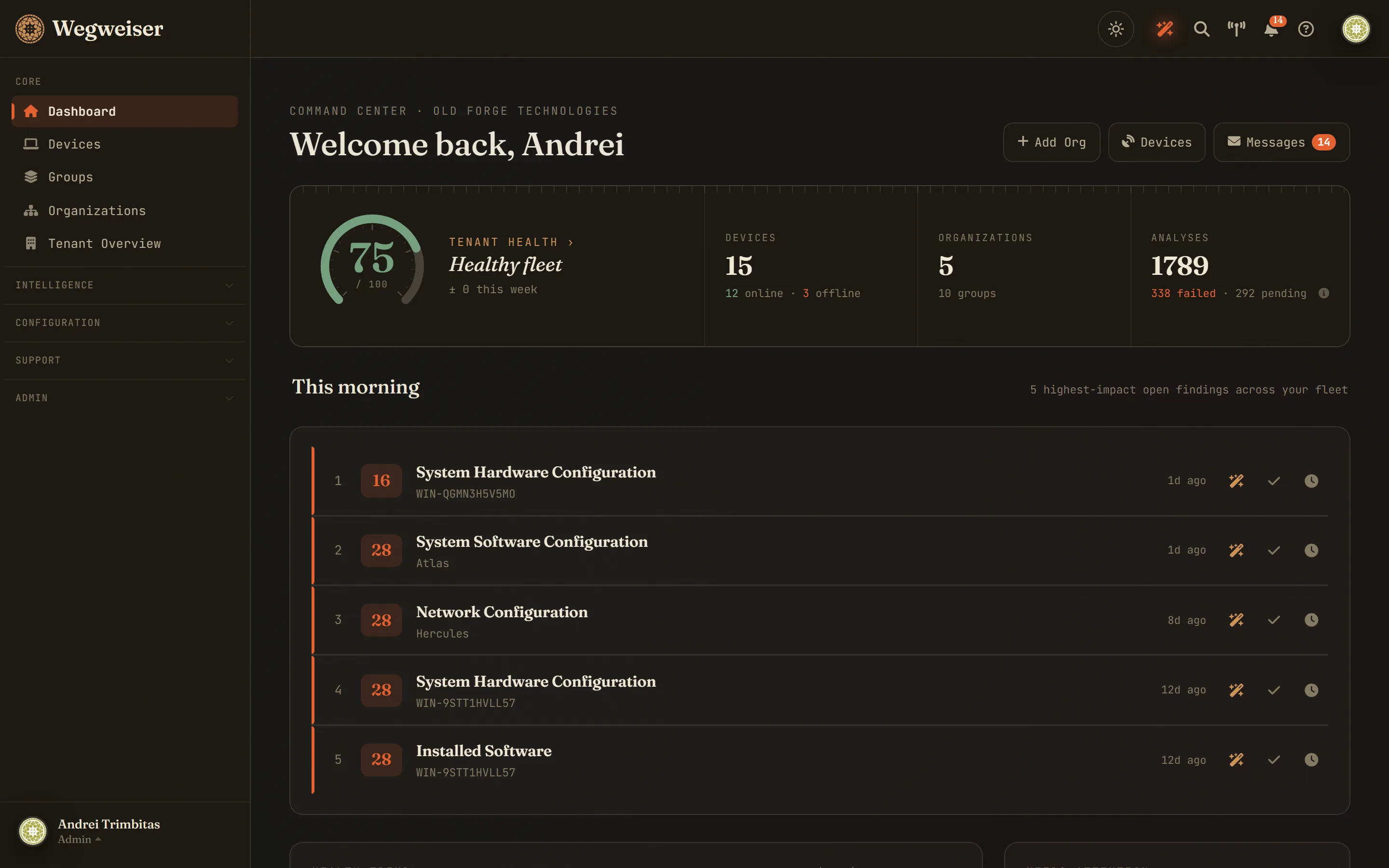
25+ analyzers, across the stack
Inside the product
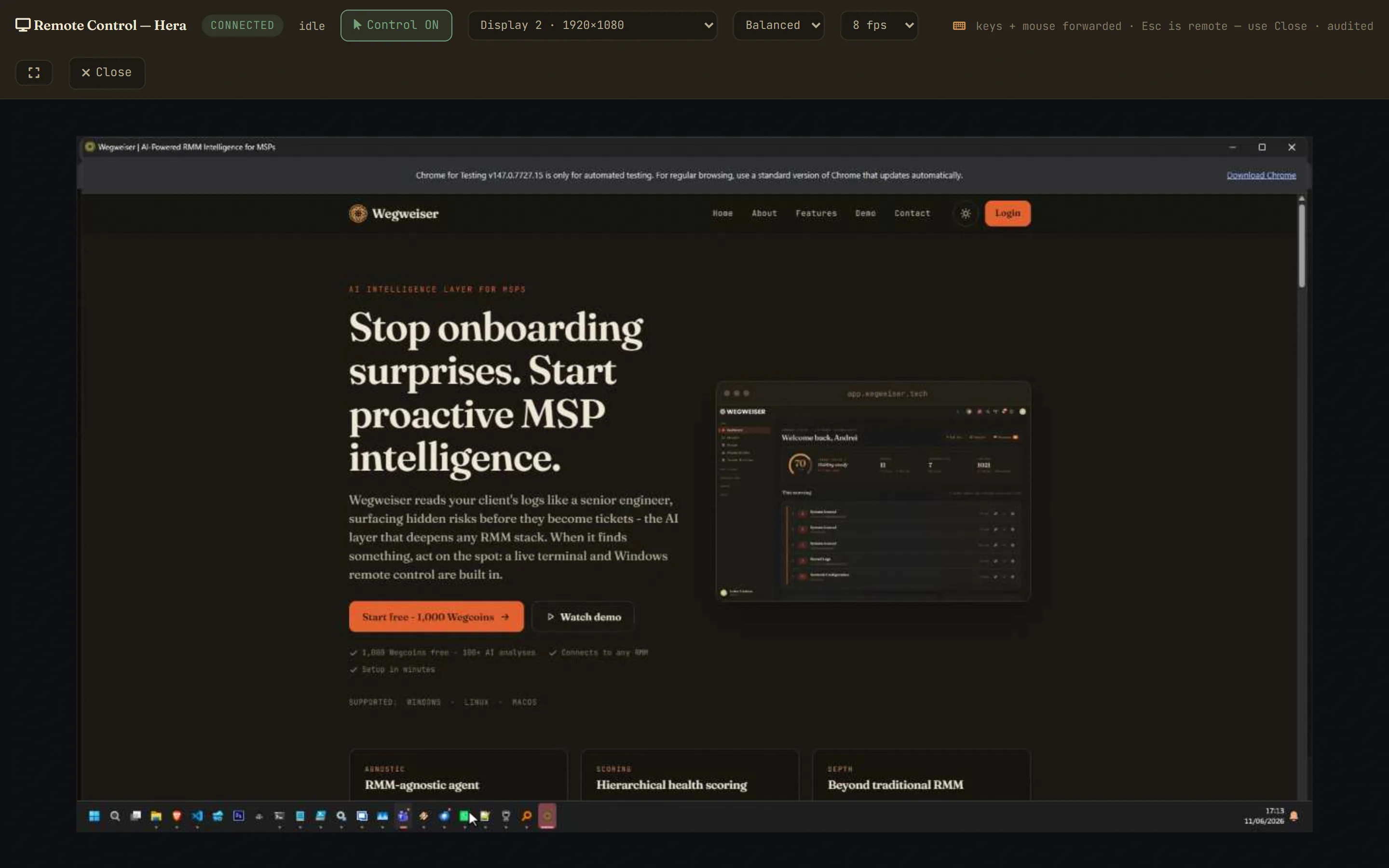
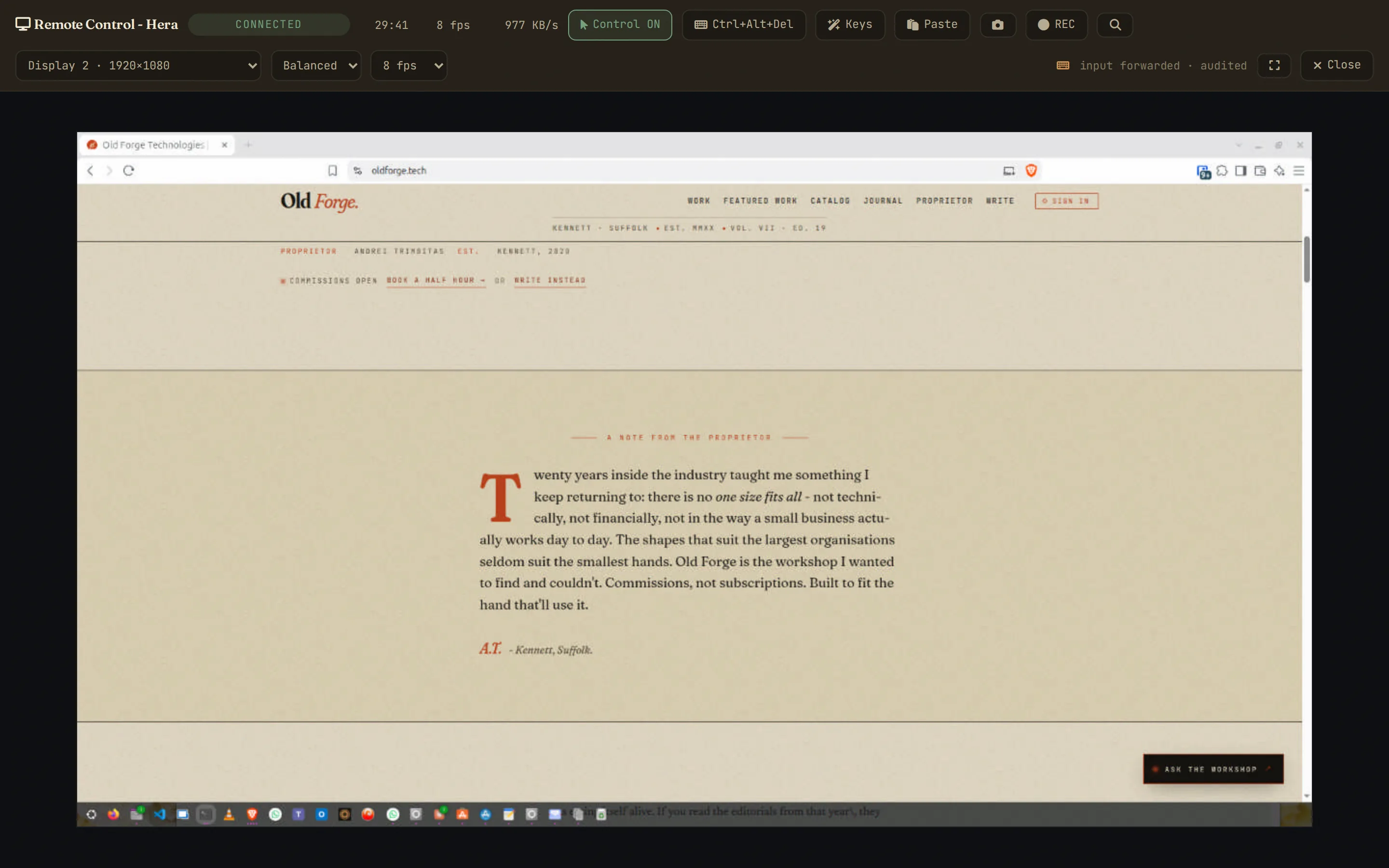
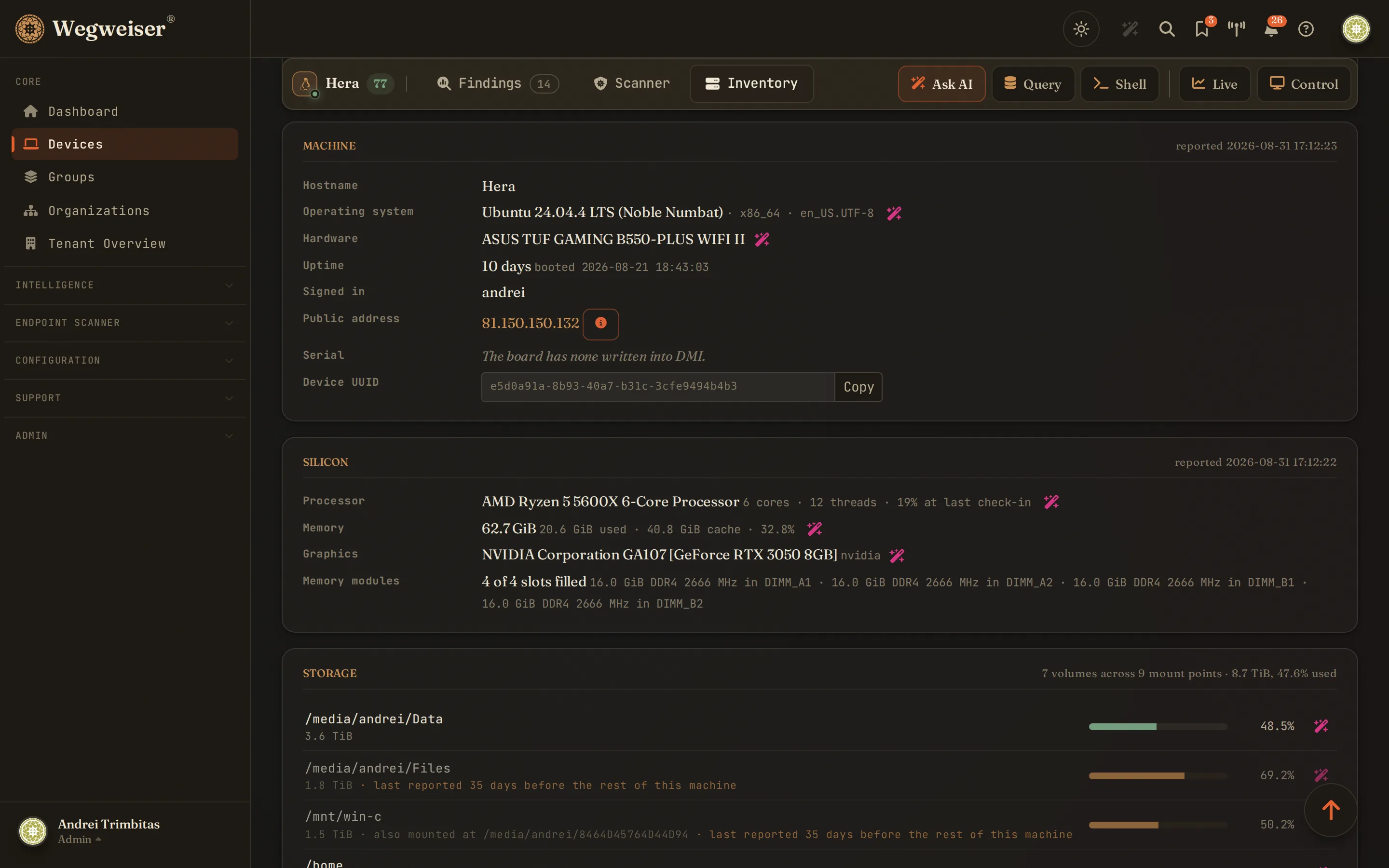
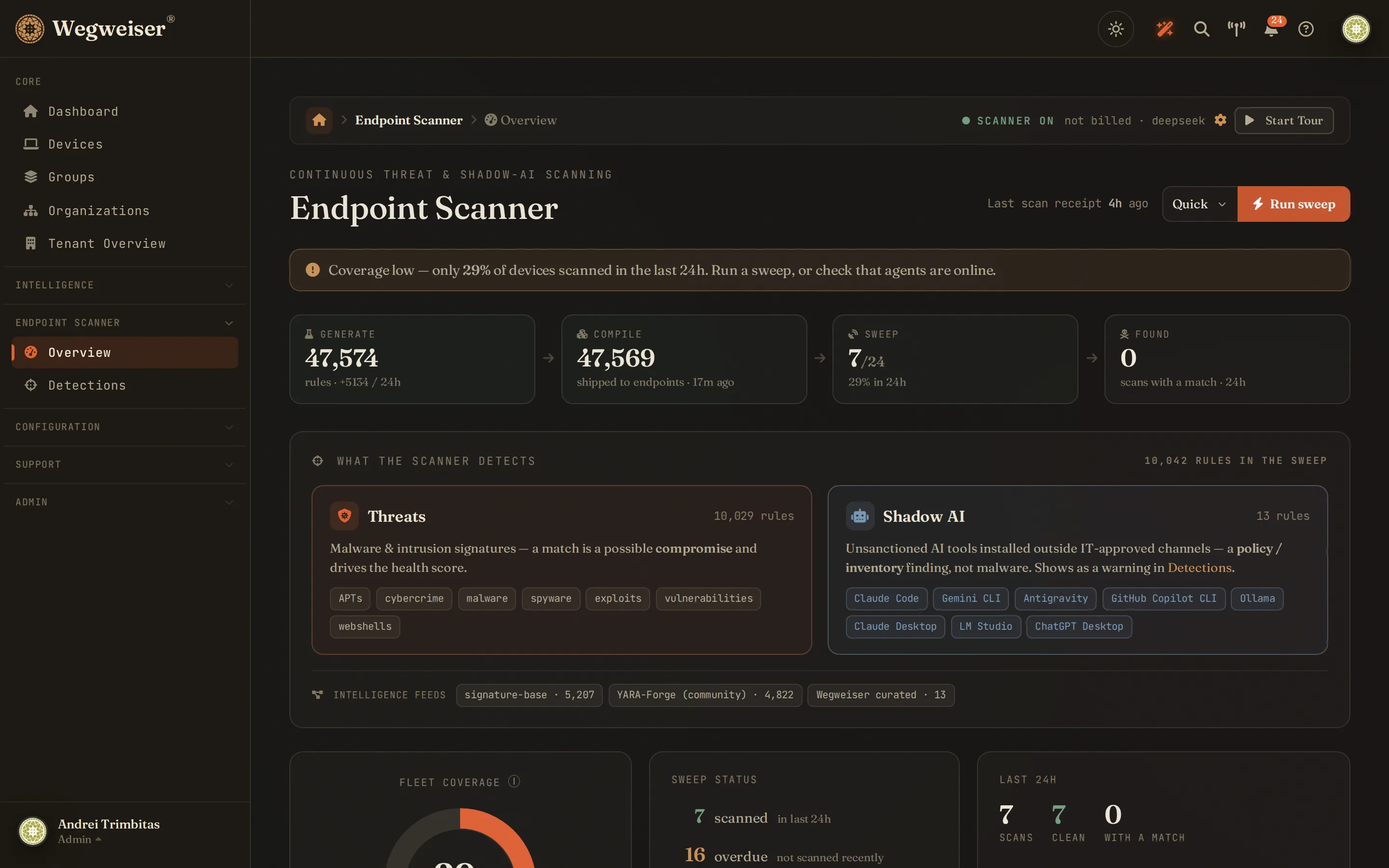
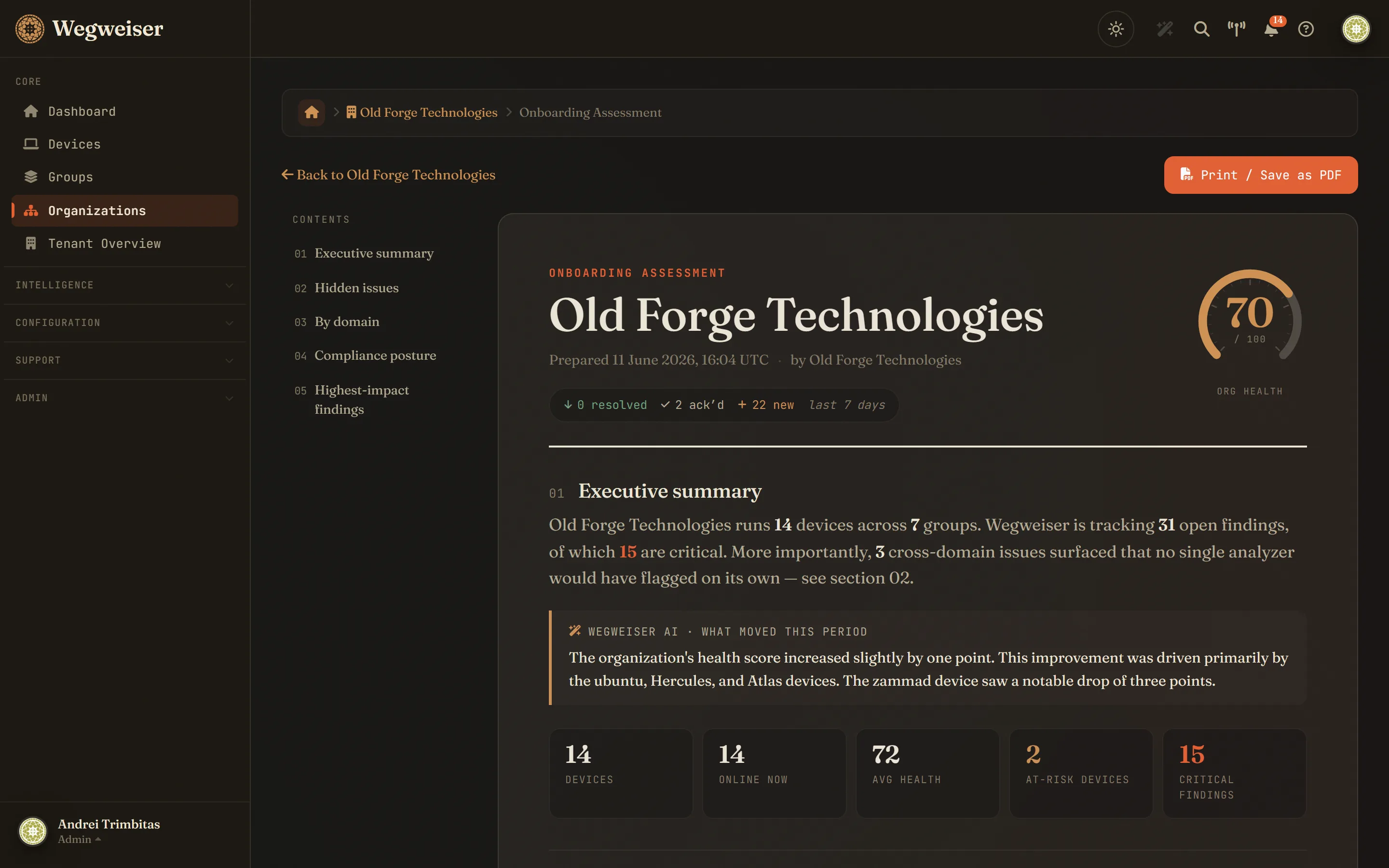
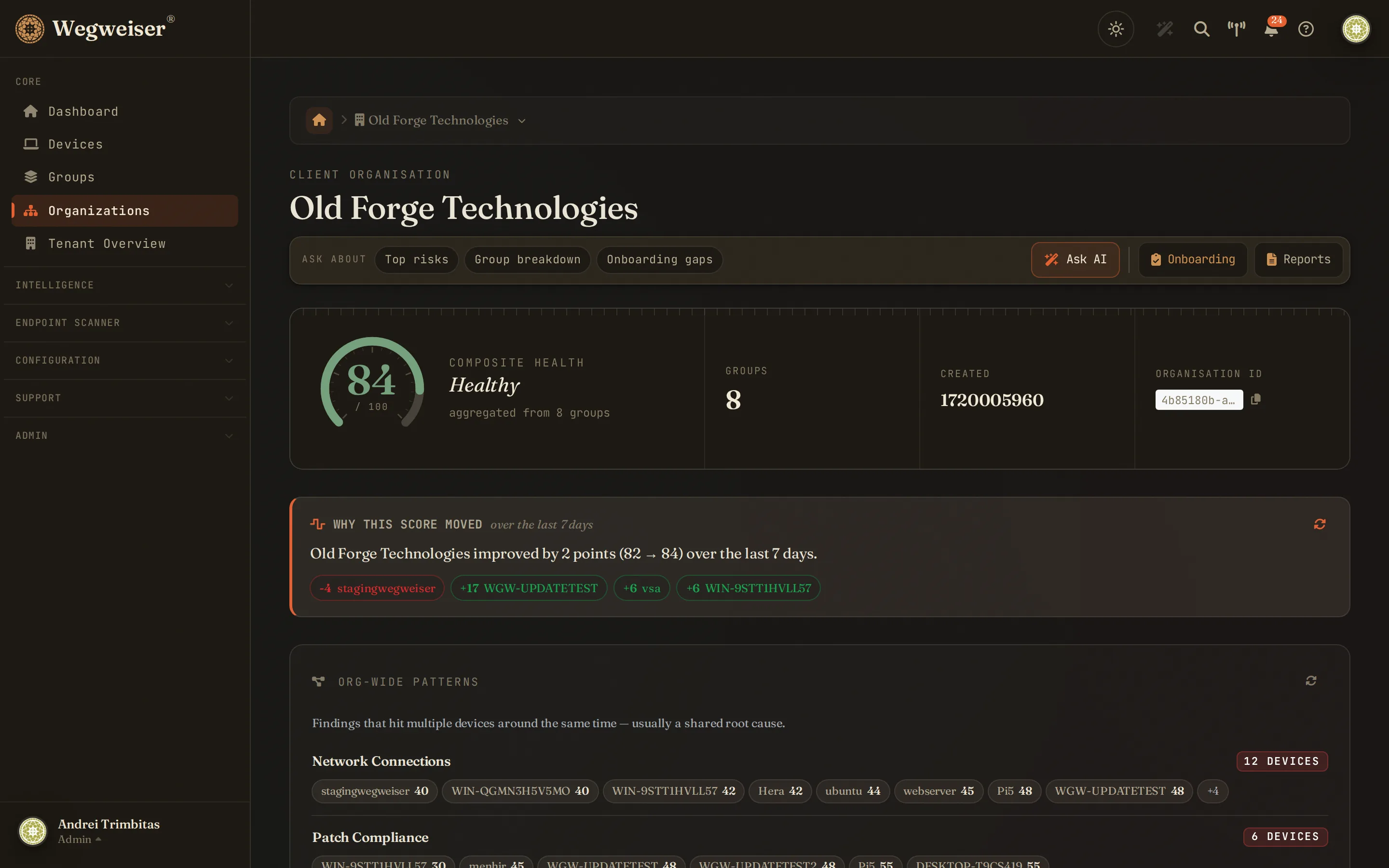
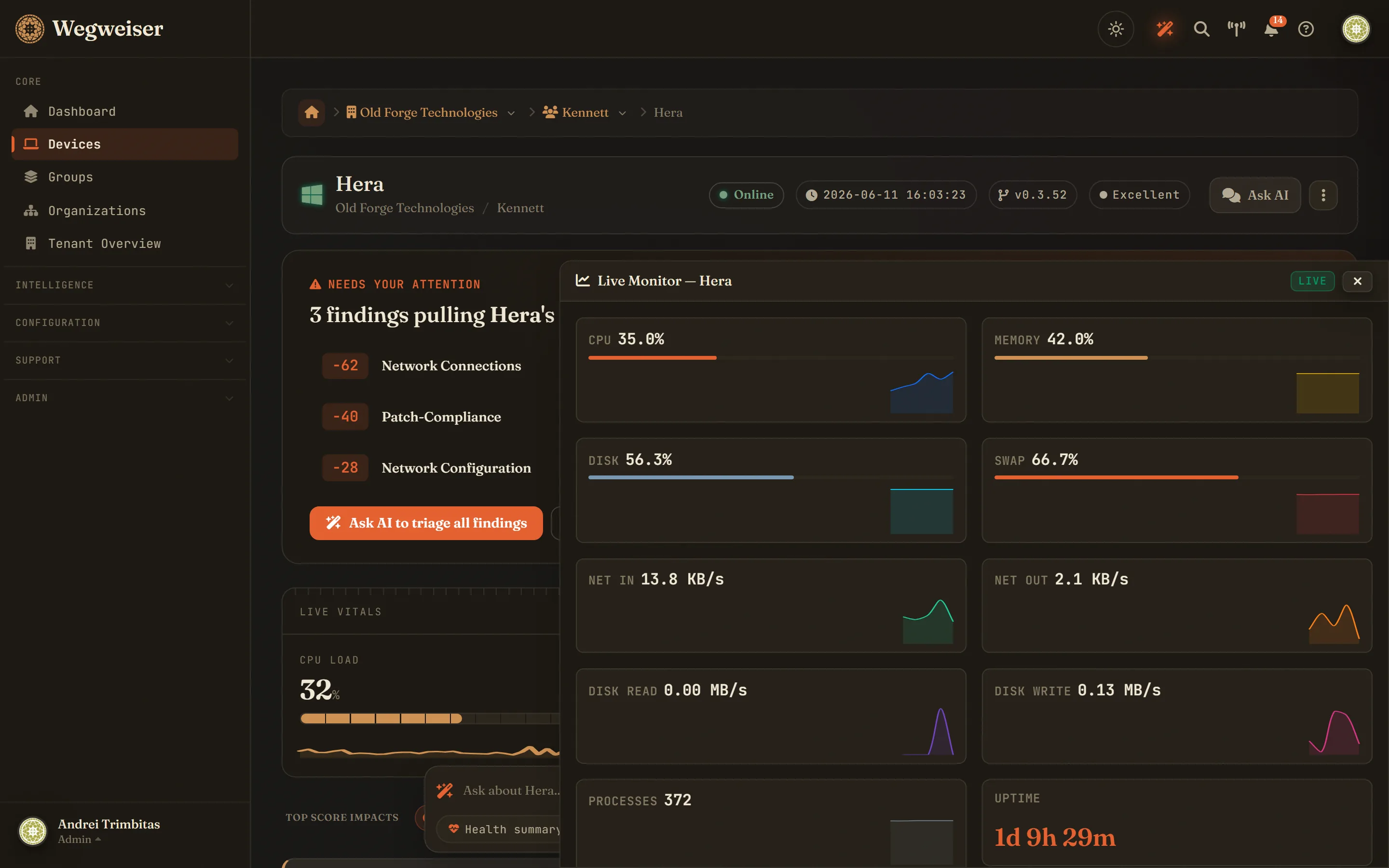
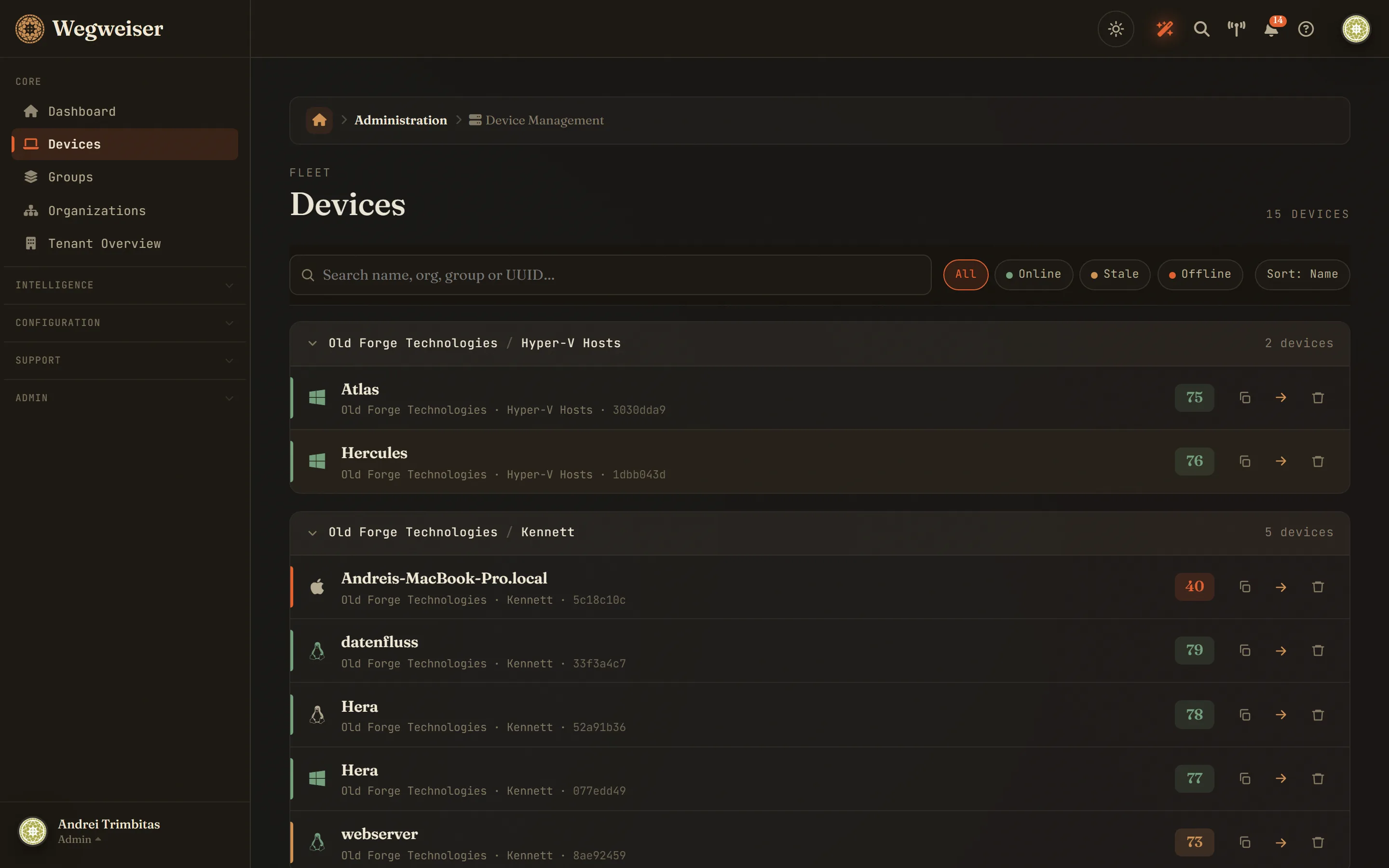
Scroll · open any screen to page through all 19
Capabilities
What Wegweiser does
Onboarding Assessment
The day-one report that fuses the estate's analysers into the hidden issues a new client never mentioned - compounding device risk, fleet-wide analyser failures, exposed-and-unhealthy machines - with a rolling weekly diff and compliance posture. Deterministic scoring, no LLM on the hot path.
Unrecognised-binary detection
Executables from every install location and user profile on Windows, and the standard binary paths on Linux and macOS, hashed and checked against the NIST National Software Reference Library. The custom, in-house and novel binaries that match nothing known lead each weekly scan - the ones in user-writable paths first. A throttled agent scan; read-only intelligence, never a verdict.
Discuss-and-Override
Findings you can argue with. When a finding is benign - your own admin tool, a dev box's open ports - accept it in two clicks, one scanner detection at a time or the whole analysis, or just tell the AI in chat. The score recomputes honestly, every override is audited, a whole-analysis accept is one click to undo, and new findings still alert.
Root-cause investigation
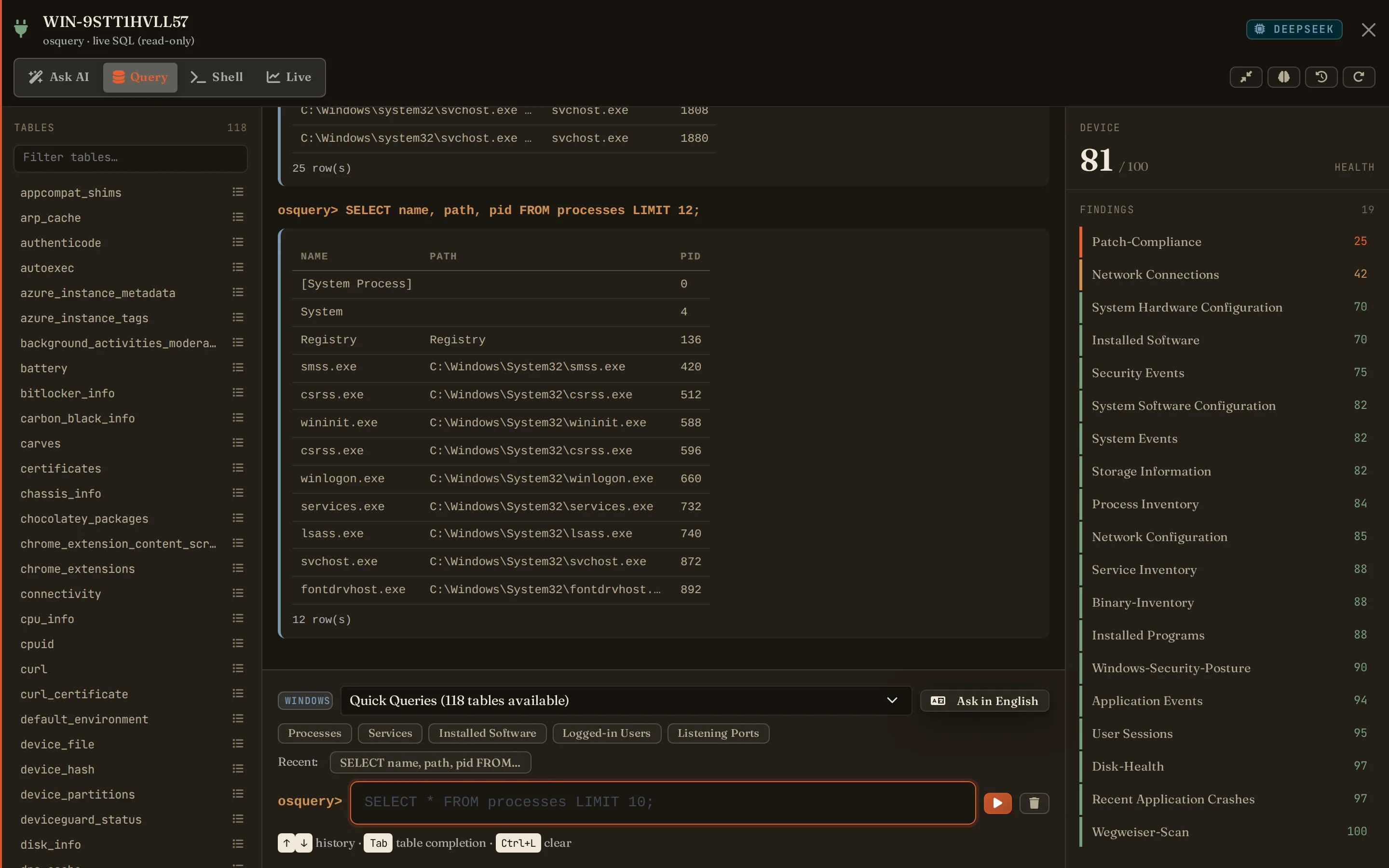
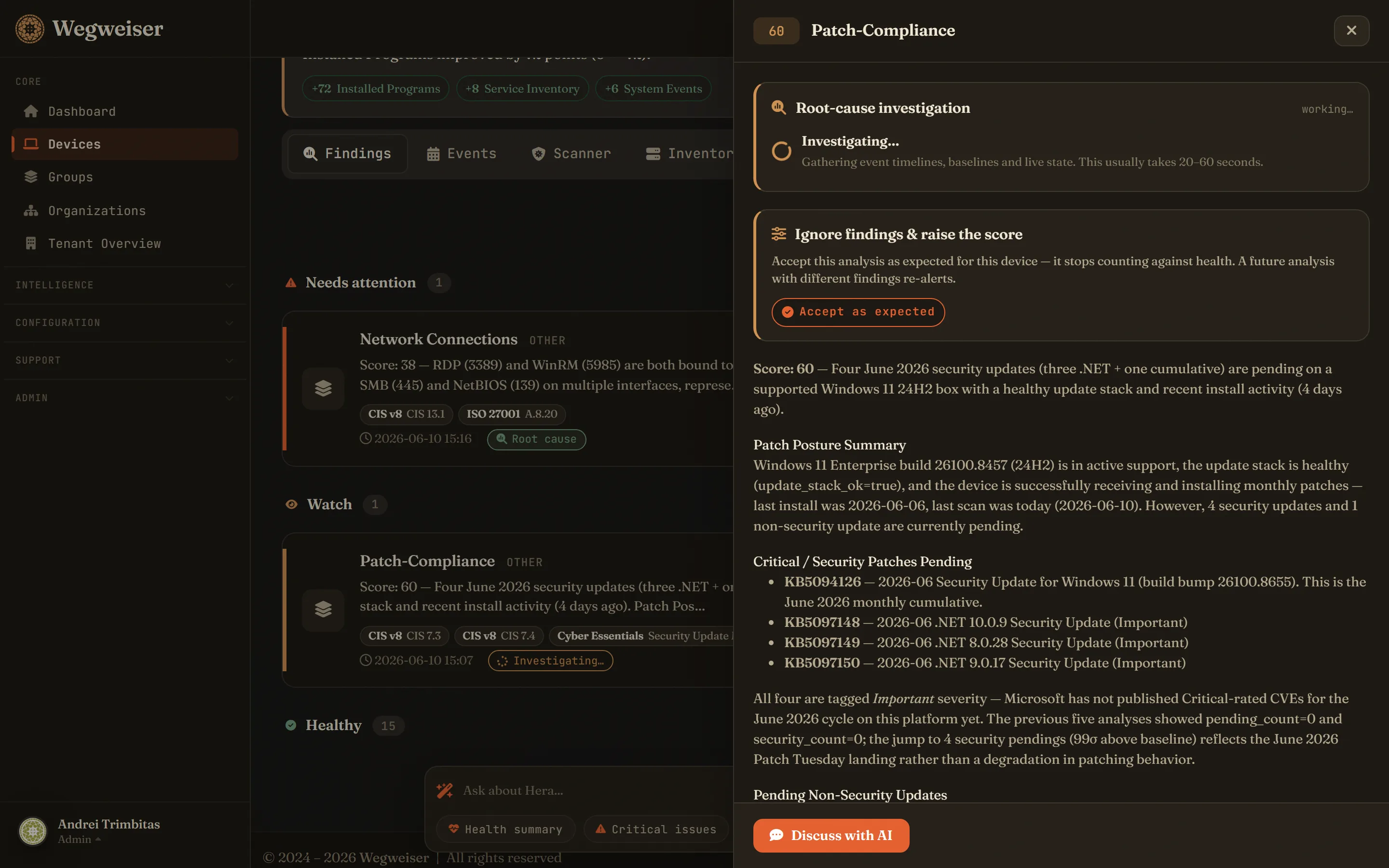
A finding tells you what is wrong; an investigation works out why. A tool-using AI agent walks event timelines, baselines and live osquery, then reports probable cause, evidence and the next action - one click, or automatically on fresh critical findings up to a daily cap per client.
Patch posture, every OS
Windows, Linux and macOS - pending and security updates, end-of-life operating systems, and whether the update machinery itself works. A box that can't patch is the finding, not a footnote. Read-only intel; your RMM still does the patching.
Remote control, Windows and Linux
Full desktop control from the browser - no VPN, no inbound firewall rules at the client, no second product. Linux desktops are captured through the compositor itself, so there is no consent dialog to click on a machine nobody is sitting at. Change-driven capture stays light on the endpoint, switching between monitors is one click, and every session lands in the audit log under an always-on-top banner the user cannot close.
Live terminal, every OS
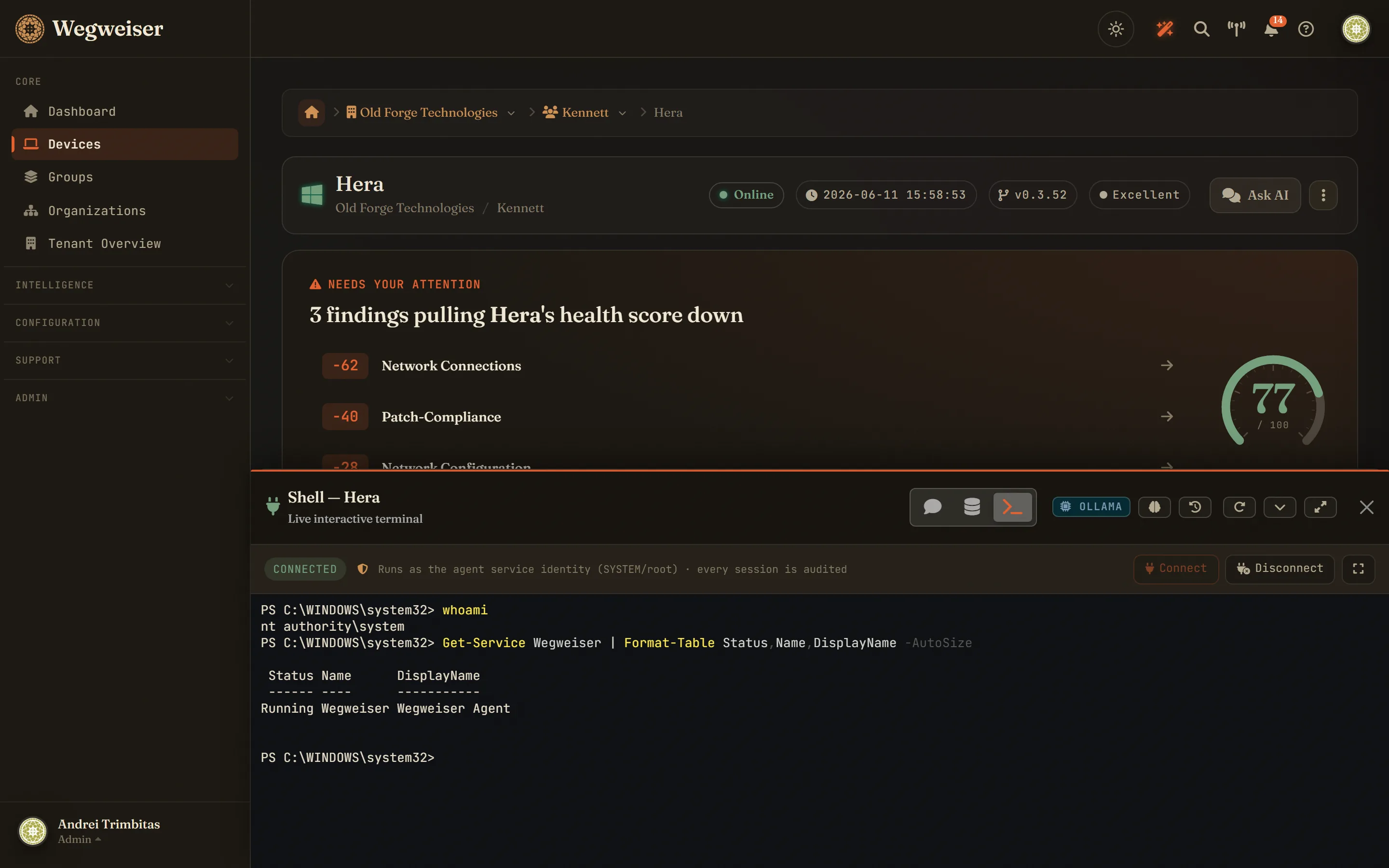
A real PowerShell or bash session in the browser, running as SYSTEM or root on any online device running the agent - operators only. Credentials are scoped to a single session and expire on their own after 30 minutes, and every session open is audited. Investigate a finding and fix it in the same minute.
Ask a machine how it feels
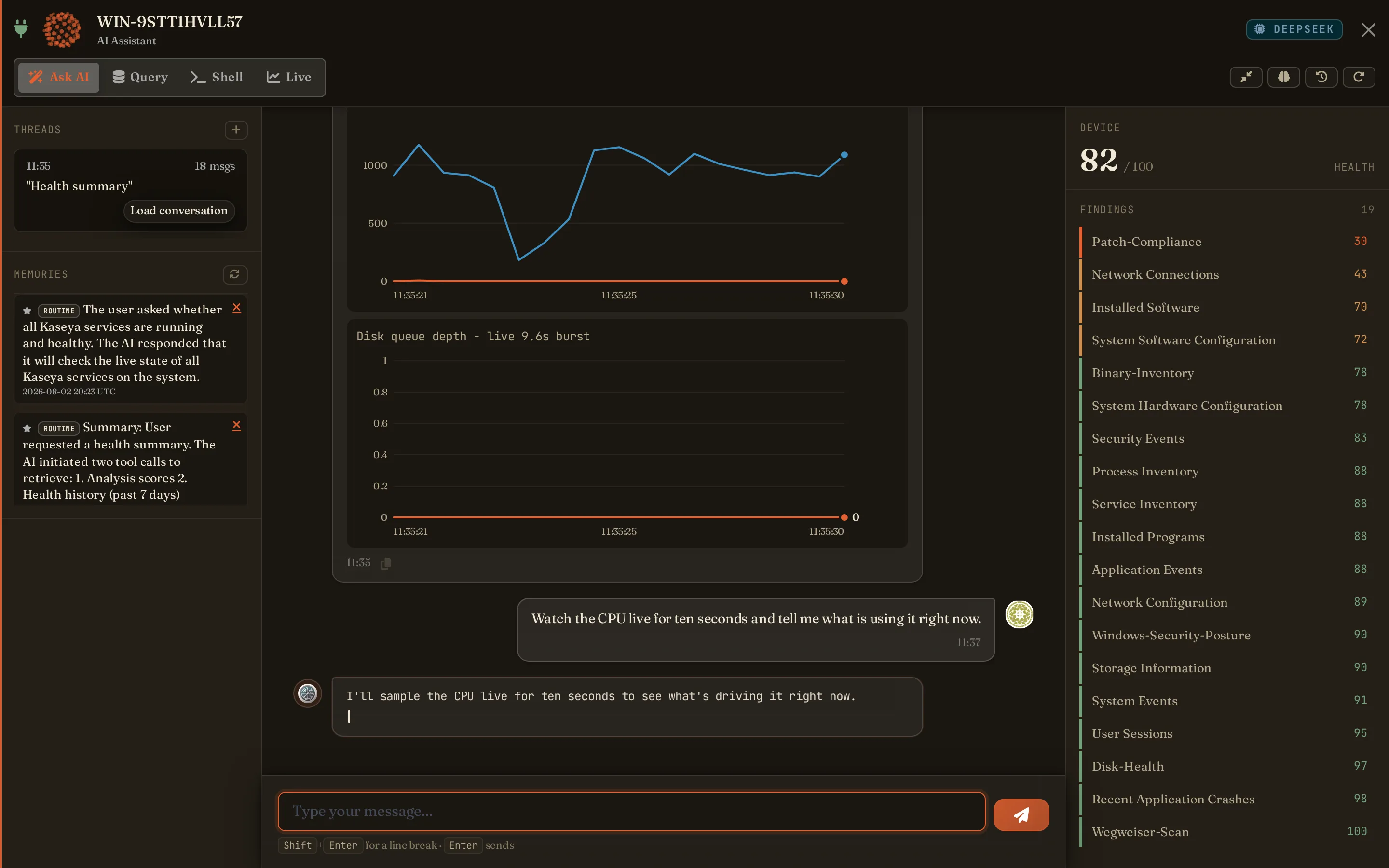
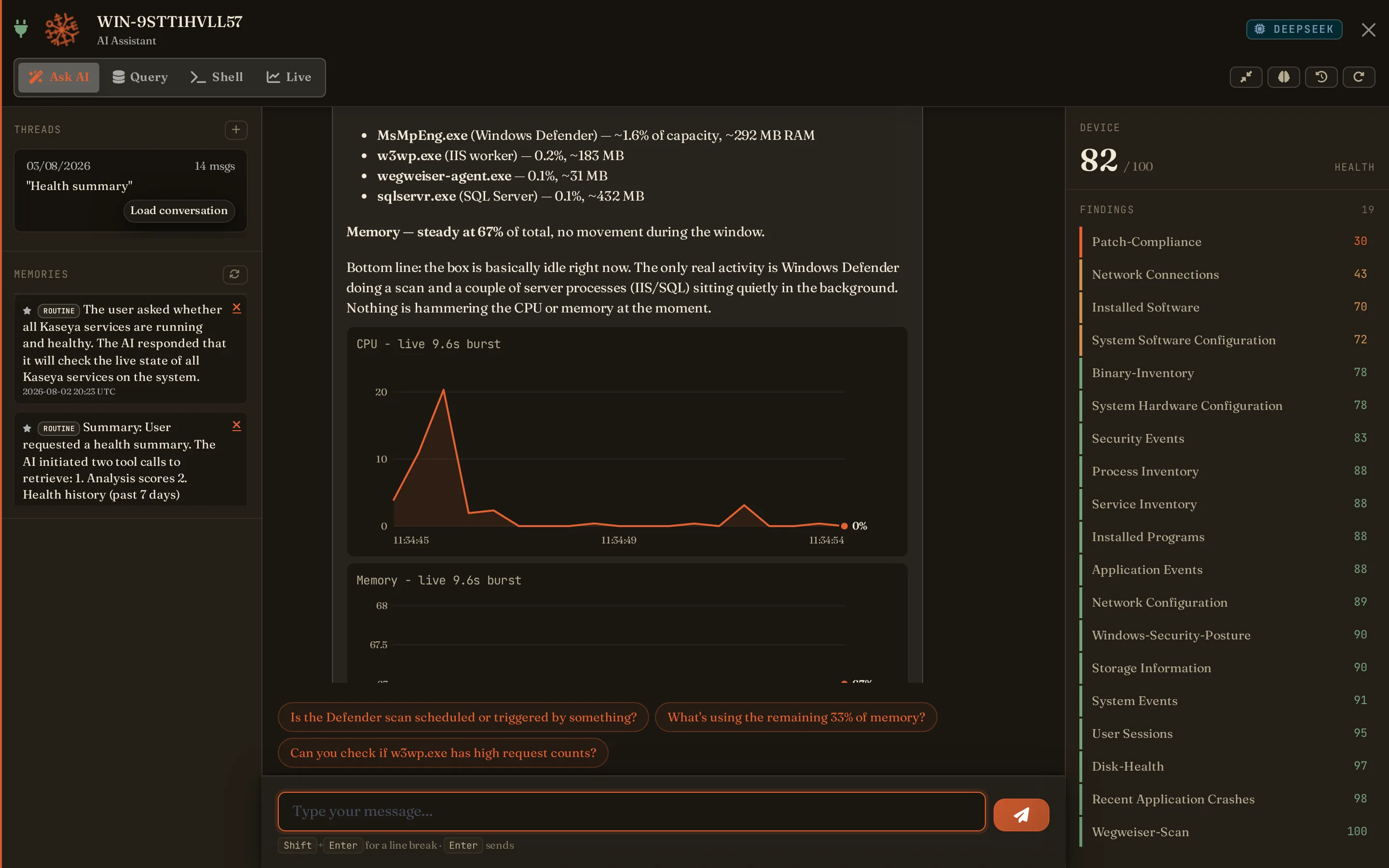
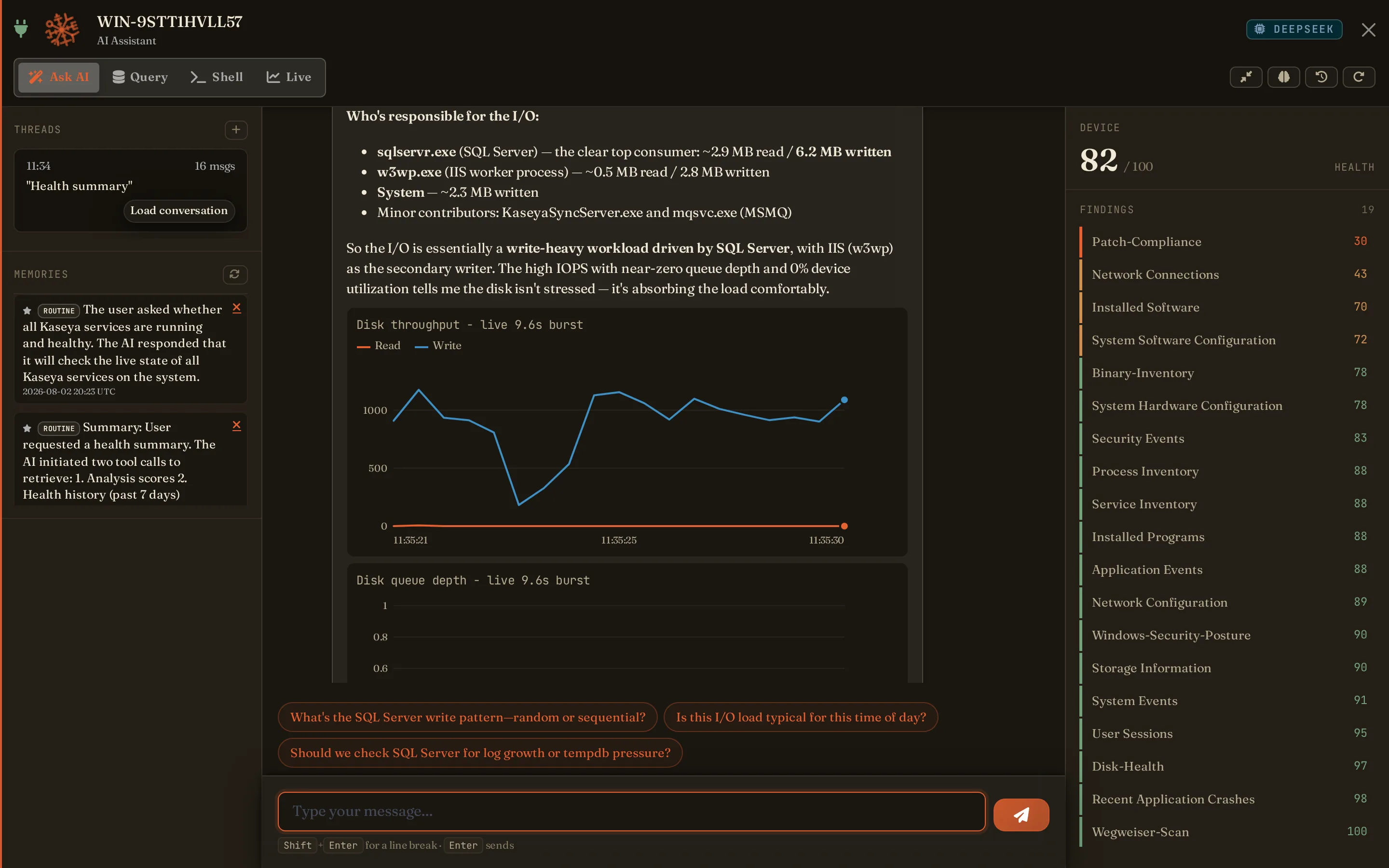
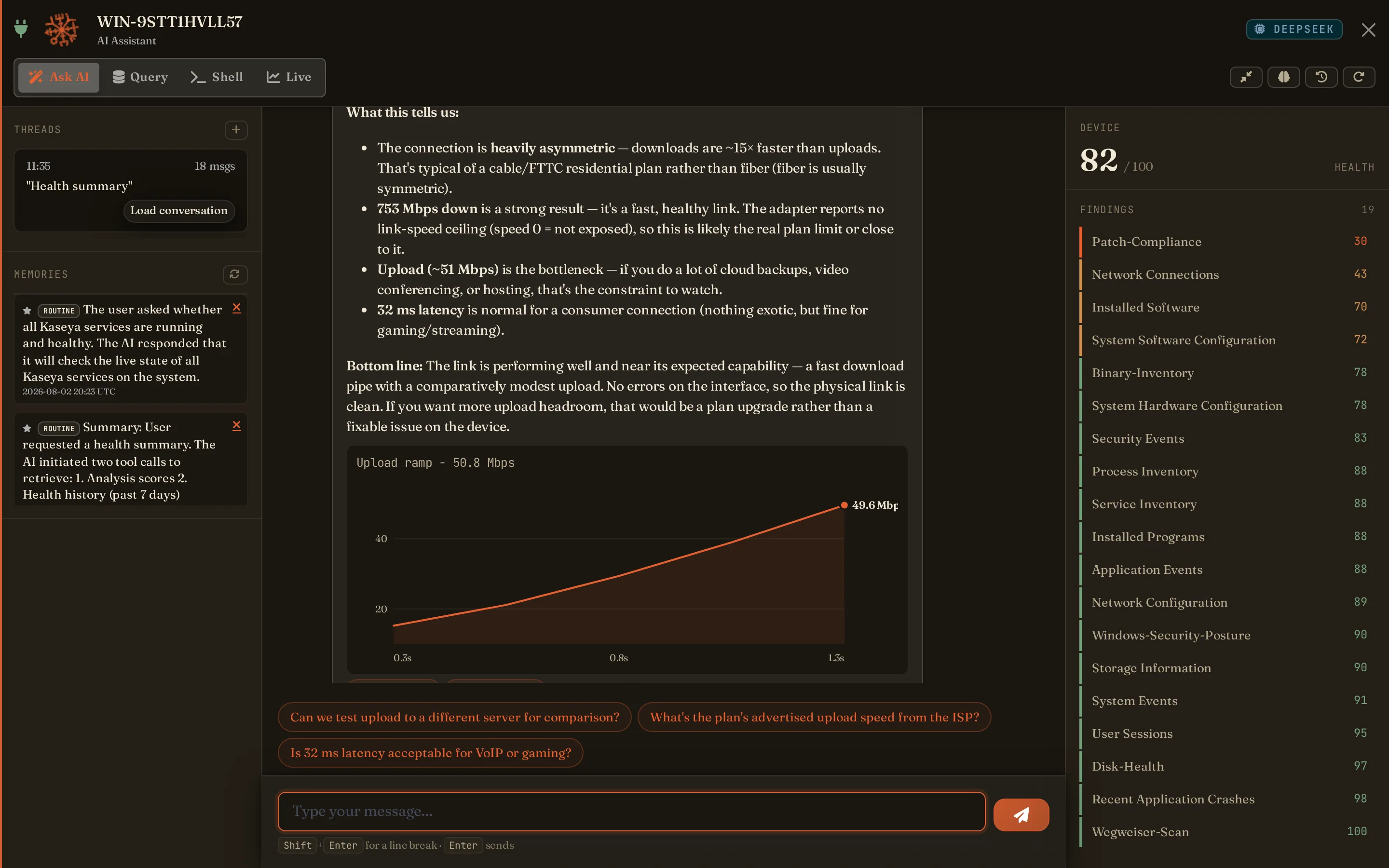
Answers with charts, not essays. Ask how the CPU has behaved and the stored samples are drawn rather than described. Ask what is happening right now and the agent watches the box for ten seconds, charts CPU, memory, network or disk - throughput, IOPS and queue depth - and names the processes responsible. Ask what the link is actually doing and it measures download, upload and latency from the endpoint itself. Every one of them reads. None of them write.
Live AI chat & monitoring
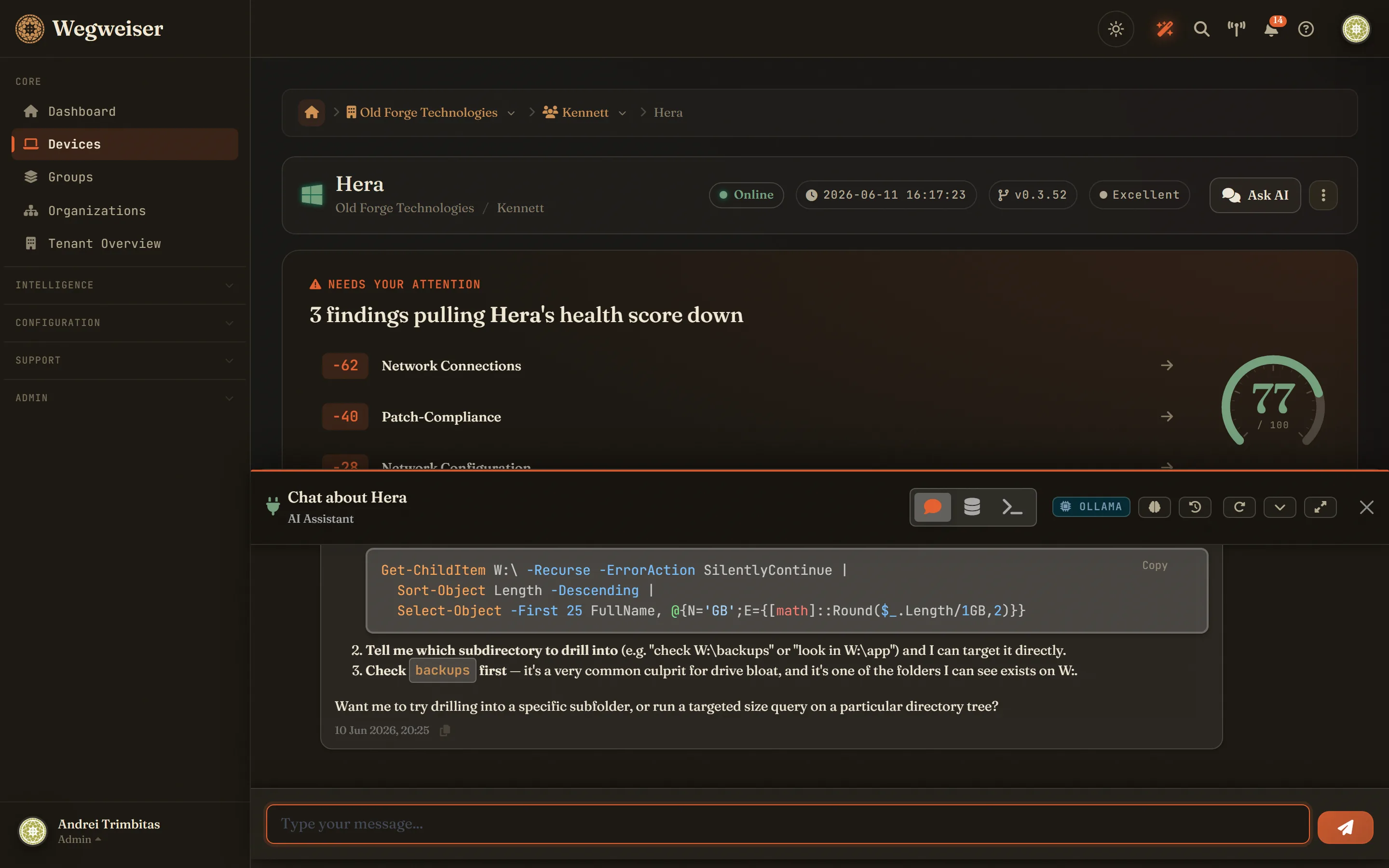
Ask about any device, group or organisation and get streaming AI answers over that level's full analysis history. In a device chat it can also accept findings as expected risk and recompute the health score on request. Open the live monitor and CPU, memory, disk and network stream from the agent about every two seconds; the rest of the time a lighter baseline rides the heartbeat.
Event forecast
Predict which Windows events fire in the next 24 hours and 7 days - pure statistical analysis of 30-day archives, zero AI cost, with confidence from scheduled to sporadic.
Honey accounts
The one finding that is not an inference. Create an account whose only purpose is never to be used - disabled, or holding a long random password - and tell Wegweiser its name. Nothing legitimate ever authenticates as it, so a logon event naming it is not a probability score, it is somebody working through credentials they should not have. The agent matches on the endpoint against the Windows security log it already reads, so nothing about your directory leaves the machine and Wegweiser has no write path into it - it never creates the account. Windows event logs are collected once every 24 hours, so a trip surfaces within a day rather than within minutes; we would rather say that than imply a speed we do not have.
Autonomous AI threat detection
Every 24 hours the AI turns CISA KEV, NVD and GitHub advisories into YARA rules, validates them by compiling with YARA-X, and files them in your threat-intel pack - promote one and the next pack build carries it into the fleet sweep. Rules that fire too often are auto-demoted, so noise cannot drown the real findings.
Shadow AI discovery
Find the AI tools nobody approved. Claude Code, Gemini CLI, GitHub Copilot CLI and Ollama on Windows, Linux and macOS; Claude Desktop, ChatGPT Desktop and LM Studio on Windows; Antigravity on Linux. Matched on what the tool is rather than where it sits, so it's caught wherever the scan reaches - including from a stray config file. Every hit tags the device and evidences your CIS and ISO 27001 unauthorised-software controls.
Community & government feeds
Your scan packs aren't only ours. YARA-Forge - which aggregates 45+ vetted public rule repositories - is pulled weekly and built straight into your packs, while CISA's Known Exploited Vulnerabilities list, NVD and GitHub advisories drive rule generation. Coverage follows what attackers are using, not what merely scored high.
Retrohunt
Detection that reaches backwards. When a sample is newly published as malicious, its hash is matched against the binary inventory already collected across your fleet - so a file that was unknown the day it landed is still found the day it becomes known. Hits land in the threat-hunting view like any other detection.
It checks its own readings
A finding that fires wrongly gets noticed. A check that has quietly stopped measuring and still writes a plausible score does not, and it is the more dangerous of the two. Wegweiser audits its own numbers: a score computed from a sample of nothing, a payload stored in a shape the rest of the fleet does not use, a score that has not moved for several runs while the data underneath it has. The first pass over our own estate found eight machines carrying hardening scores between 58 and 66 whose own reports said zero tests had been performed. These never count against a device's health - a broken instrument is not a sick patient, and conflating the two is the mistake that makes the whole number worthless.
Explain it, then dismiss it once
Ask the AI why a rule fired and get the matched file, the rule's provenance and a plain-English read. If it's a false positive, mute it once and it applies to every device that matched in the window you're viewing - and once enough endpoints reject the rule, it's dropped from the packs entirely.
Client uptime monitoring
Watch the services a client actually notices - web, mail, VPN endpoints - with per-organisation monitors and keyword checks. Outages are re-probed independently before anyone is paged, then alert down the same Slack, Teams and webhook channels as everything else, with a recovery notice when it clears.
Passkey sign-in
Phishing-resistant login with WebAuthn passkeys - Touch ID, Windows Hello or a hardware key - alongside TOTP two-factor and single-use backup codes.
Report Centre
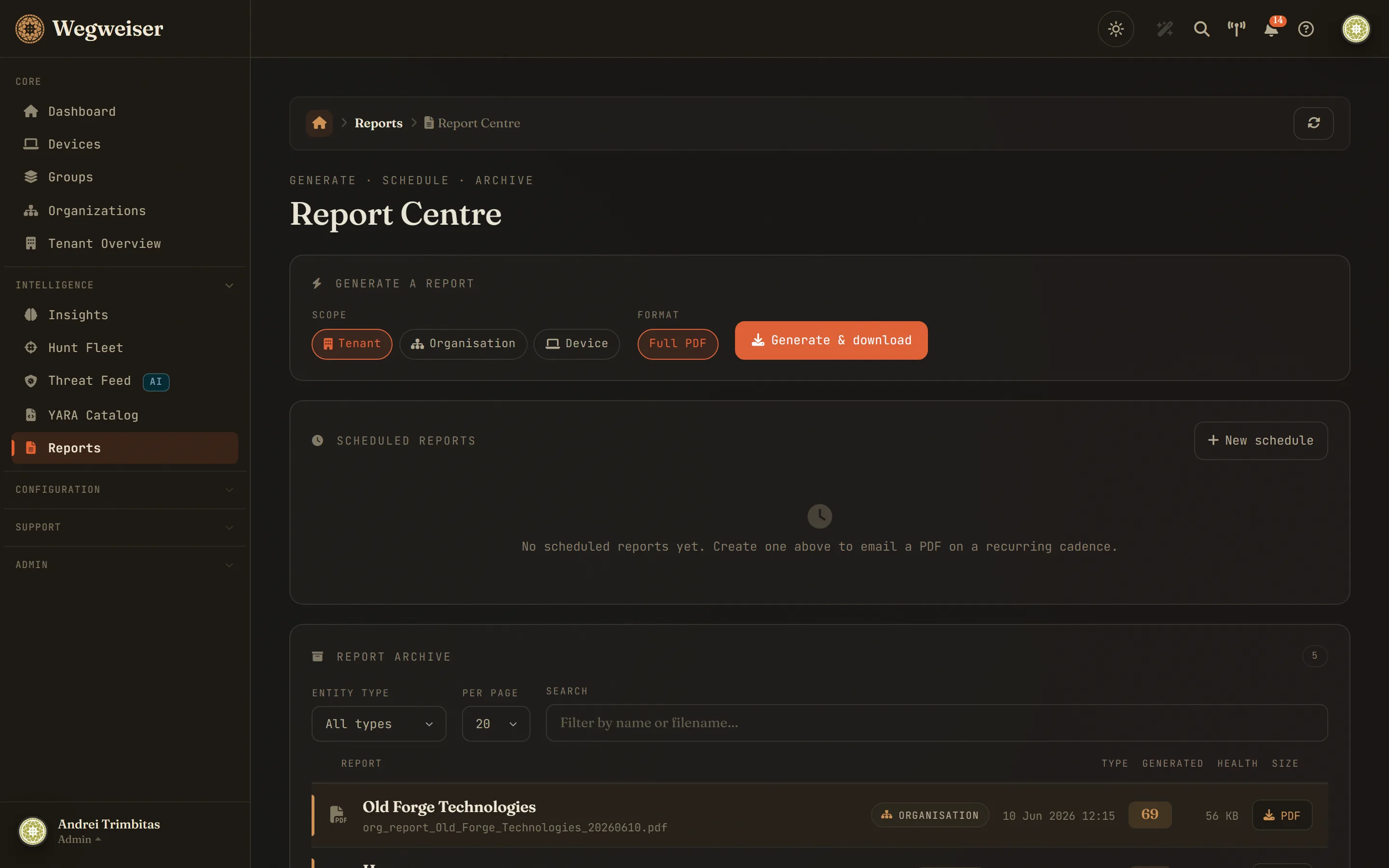
Generate a device, organisation or tenant PDF on demand, and have the organisation or tenant report e-mail itself weekly or monthly. Plus a plain-English client QBR, a device-inventory CSV per organisation, and a searchable archive of every PDF you produce.
Intelligence hub
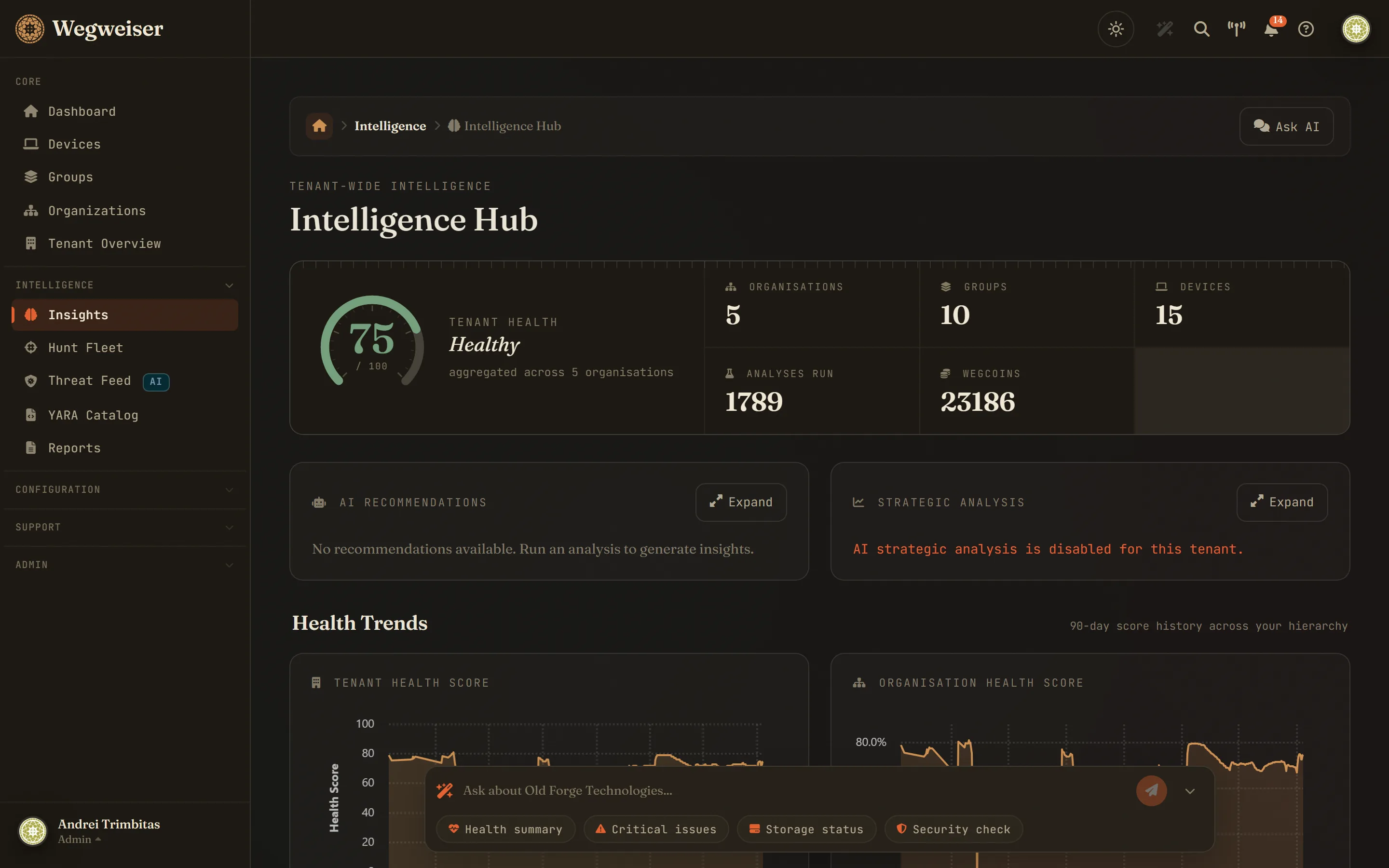
A dedicated AI command centre: health KPIs, AI-generated strategic recommendations, health trends at tenant, organisation, group and device level, and chat across the whole tenant.
Slack / Teams / webhook alerts
Critical findings land in your workflow - Teams, Slack, e-mail, or a ticket-shaped webhook your PSA ingests. Sign generic-webhook deliveries with an HMAC secret, and test any channel in one click.
Your helpdesk and your RMM
Zammad reads its own organisation list into Wegweiser so nobody retypes a hundred and fifty client names, then files findings back as tickets - a used honey account, a drive reporting its own failure, a malware detection the analyser agreed was real, a device falling through a health threshold. One open ticket per device per condition rather than one per event, updates appended to it only when there is something new to say, and once your people close a ticket Wegweiser never touches it again. Off for every organisation until you switch it on, with a dry run that shows what a real run would file. Kaseya VSA 10 gets the health score, status and a link back written onto each matched device.
Share-with-client links
Hand a client a tokenised read-only health view - no login, no chat, no internal IDs - revocable any time.
Seven frameworks, and you pick which
Findings carry the controls they materially evidence: CIS v8.1, ISO/IEC 27001:2022 Annex A, NCSC Cyber Essentials, NIST SP 800-53 Rev. 5, and - for German clients - the BSI IT-Grundschutz-Kompendium, NIS2 as § 30 Abs. 2 BSIG, and DIN SPEC 27076, the BSI CyberRisikoCheck. A German house is not shown British Cyber Essentials just because it exists; each tenant chooses its own set, seeded by the language its analyses are written in. A hand-maintained, deliberately conservative mapping, not AI guesswork - and a test fails the build if any check is neither mapped nor explicitly recorded as evidencing nothing. Orientation for an audit, not a certificate.
Bring your own LLM
Point the analysis pipeline and chat at your own Ollama instance - no client data goes to OpenAI, Anthropic or Azure, and chat retrieval runs on local CPU embeddings. Built for public sector, healthcare and legal. Same UI, your models.
In motion
What using it looks like
Three things an engineer does to one machine, recorded from the live product against real findings. No narration, no cuts, nothing staged.
Fit
Who should try Wegweiser?
MSPs struggling with onboarding
The larger the customer, the harder it is to find the machines with critical issues lurking beneath the surface.
Teams wanting AI-assisted insight
Nobody can know everything about every hardware type or event log. Let AI supplement your team's expertise.
Forward-thinking MSPs
Anyone curious about the future of intelligent RMM supplements and centrally managed AI intelligence.
Written down
From the blog
What changed and why, in the words of the people who changed it. Release notes with the reasoning left in.
A clipping becomes a ticket
Any scratchpad note can now be raised as a Zammad ticket in one press, filed under the client organisation the note came from. The preview shows where it will land before anything is written, and the note keeps the ticket number as a link.
Read it → 14 September 2026When your machines are actually in use
Wegweiser now reads when each machine is on and when it is worked, from the CPU samples it was already collecting. Ask the chat when a PC is used, find the quiet window for a reboot, and let analyses judge a spike against the hour it happened in.
Read it → 14 September 2026Priced in pounds, with the VAT worked out
Wegweiser bills in GBP now: packs at 399, 799 and 1,599 pounds, plans at 2, 4 and 12 pounds per endpoint per month, all net, with Stripe adding VAT from your billing address and zero-rating an EU business that supplies a VAT number. The checkout path was also rejecting Stripe's own confirmations, which is fixed.
Read it →Pricing
Per endpoint, per month
You hold the API key and pay your AI provider directly; your data goes to the provider you chose. This covers the platform itself: collection, history, the scanner, remote access and reporting.
A full monthly AI analysis pass for every endpoint, plus headroom for chat and on-demand re-checks. Overage packs exist for the months an onboarding or an incident makes you dig.
Roughly weekly analysis per endpoint, for estates that genuinely move - heavy churn, strict scrutiny, or clients you are actively troubleshooting.
Prices exclude VAT. UK customers are charged VAT at the prevailing rate; EU businesses supplying a valid VAT number are zero-rated under the reverse charge. Every account starts free with 1,000 Wegcoins and no card - prove it on a real client before any plan. Billing counts only endpoints that actually checked in during the month, never a licence count.
Ready to transform your MSP operations?
Start uncovering what's really happening inside your clients' systems - in minutes, not days. Register and receive 1,000 Wegcoins - enough to run deep AI analyses across many devices. No card required.
Start free - no card requiredTalk to us
Contact
Questions, demos or partnership chats - we typically reply within one business day.
Address
Old Forge, Newmarket Road, United Kingdom, CB8 7PP
Phone
+44 1223 297 870
info@wegweiser.tech